This is the process of replacing the battery in an Asset Smart device - when the previous has expired.
Step 1.
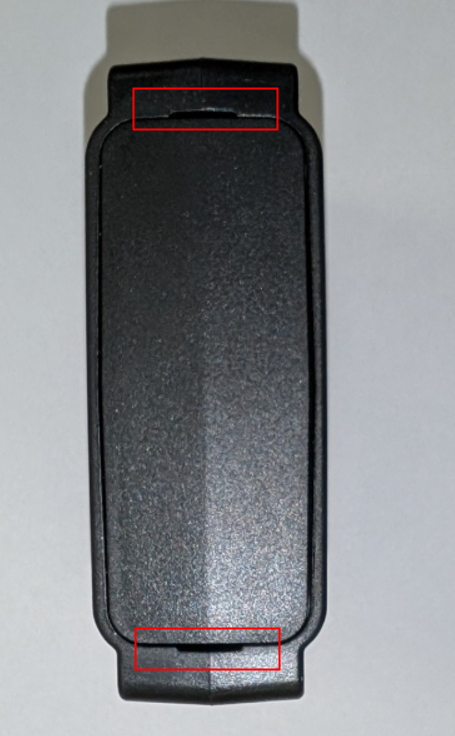
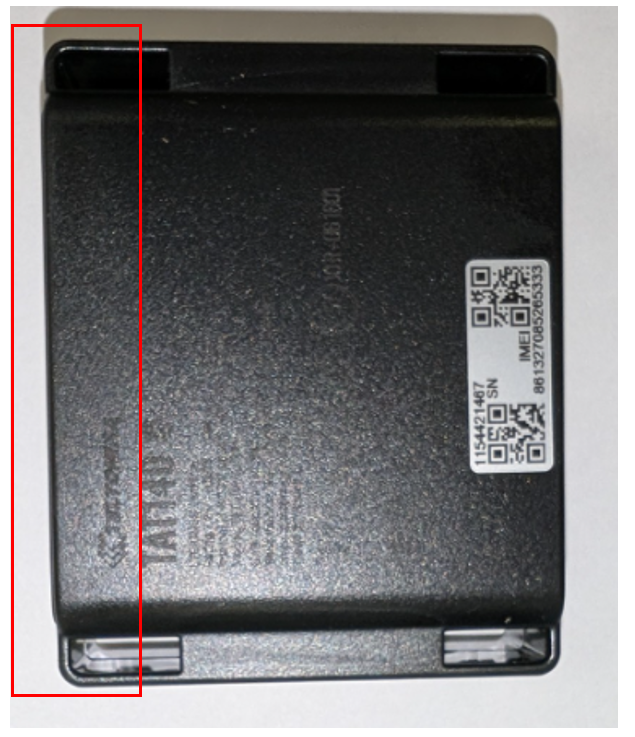
Locate the lid at the top of the unit, and gentle pry open using the 2 sections highlighted below to remove.
Step 2.
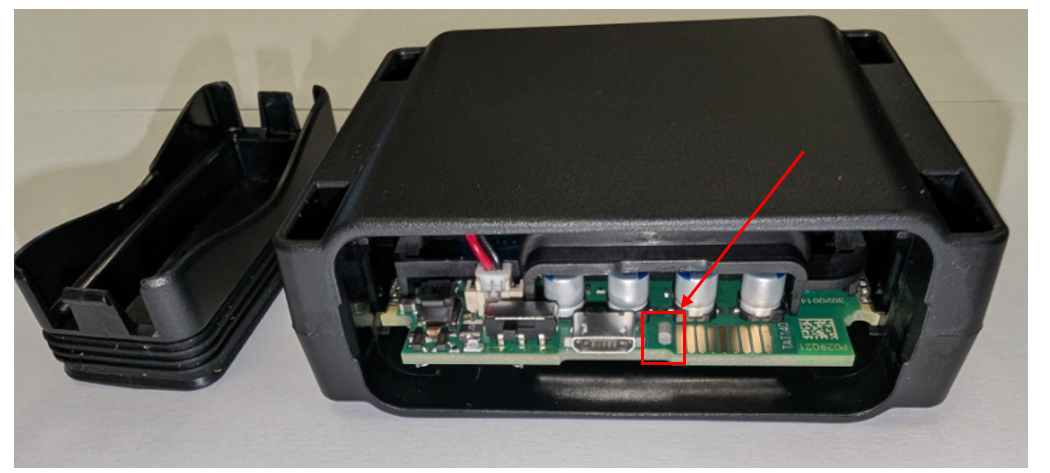
Once removed, locate the small gap on the board, highlighted below, and use a small tool like a screwdriver to remove the board from the housing.
Step 3 .
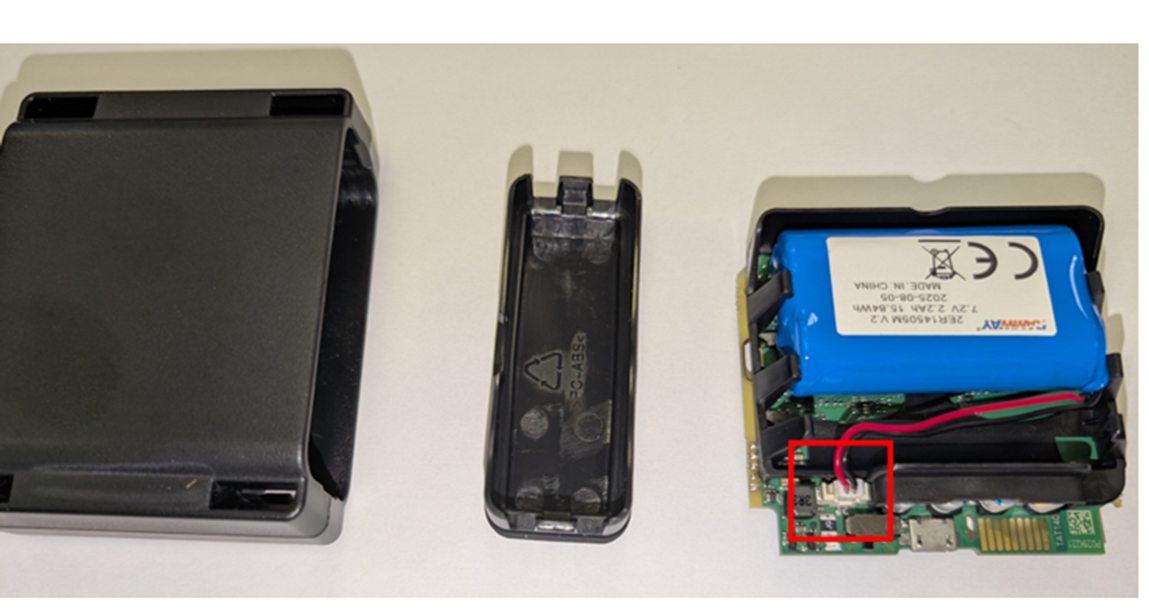
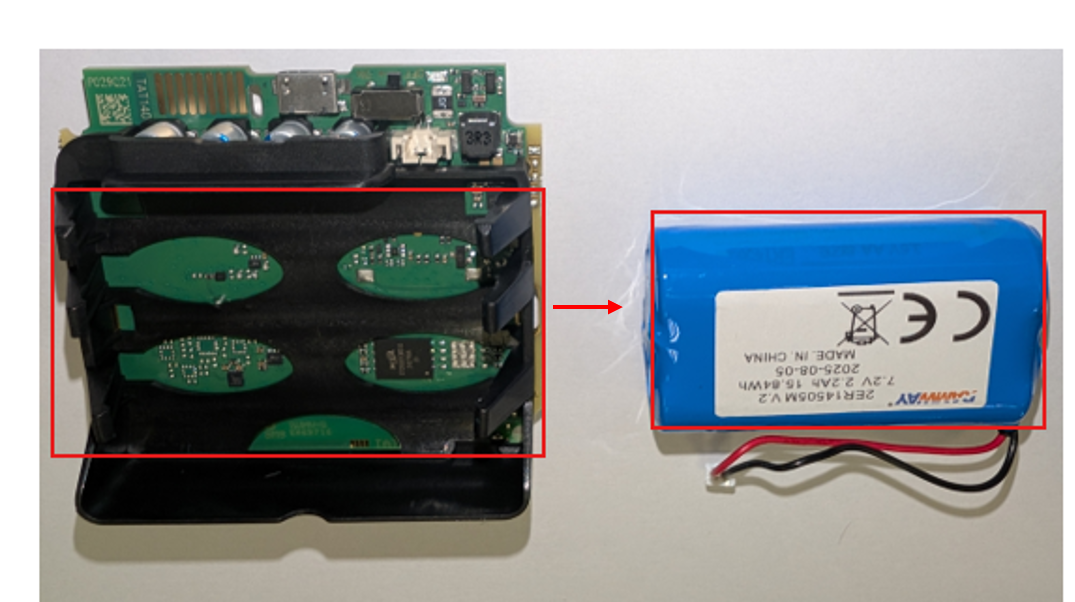
Now remove the connector from the old battery & pop the battery out of the black housing bracket
Step 4.
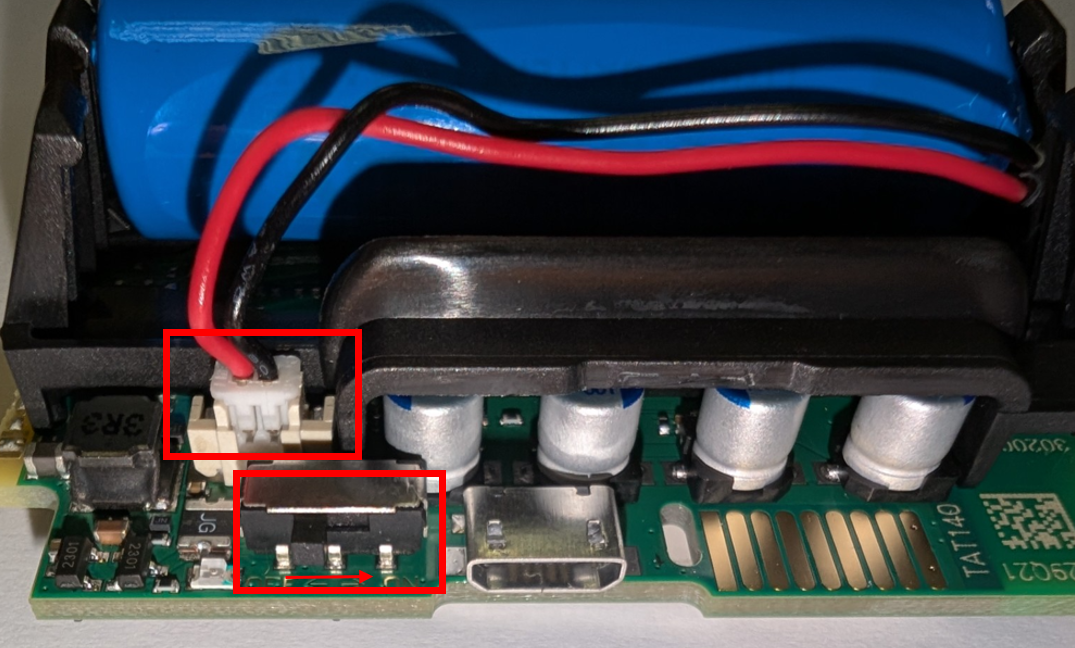
Insert the new battery back into the black housing, connecting the battery to the connector on the board.
Ensure that the switch is moved to the right (closest to the USB port) to power the unit on.
Step 5.
Place the lid securely back on the unit.
Was this article helpful?
That’s Great!
Thank you for your feedback
Sorry! We couldn't be helpful
Thank you for your feedback
Feedback sent
We appreciate your effort and will try to fix the article